One press to join the meeting, whichever platform it runs on.

RoomStart shows the room calendar on the touch display and opens the meeting in the installed desktop client, Teams, Zoom, Webex or Meet. It is a lightweight replacement for Quicklaunch, which Kramer discontinued at the end of 2024.

The problem

You never know which platform the organiser chose.

The invitation arrives in Teams, Zoom or Webex depending on who sent it, and the room has to follow. A certified room system only does one platform well, its own. A PC behind the screen can do all of them, but someone has to find the link in the calendar, open it, refuse the web client, and by then the meeting is five minutes old.
What RoomStart does

The room's calendar, and a button that works.

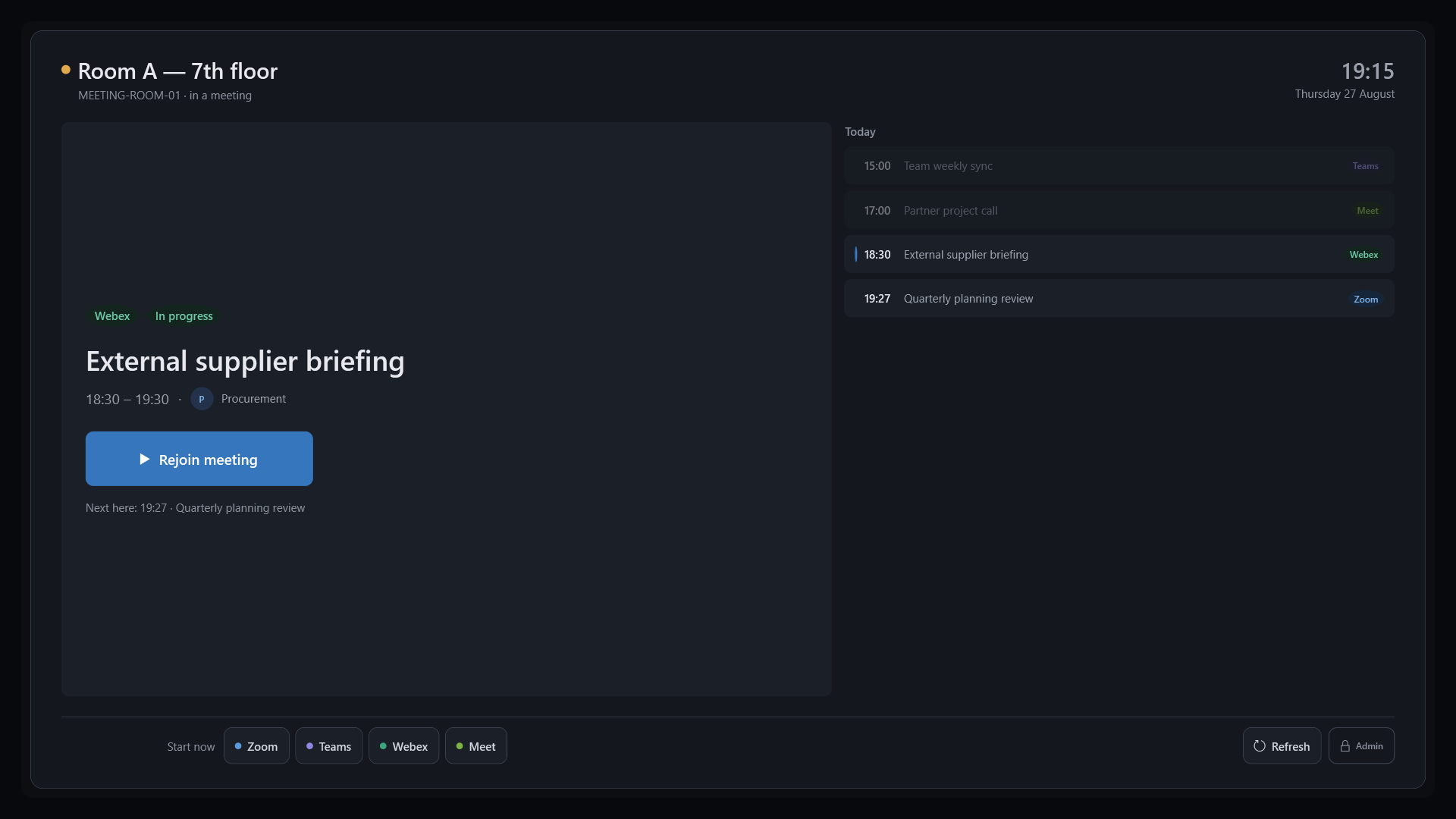
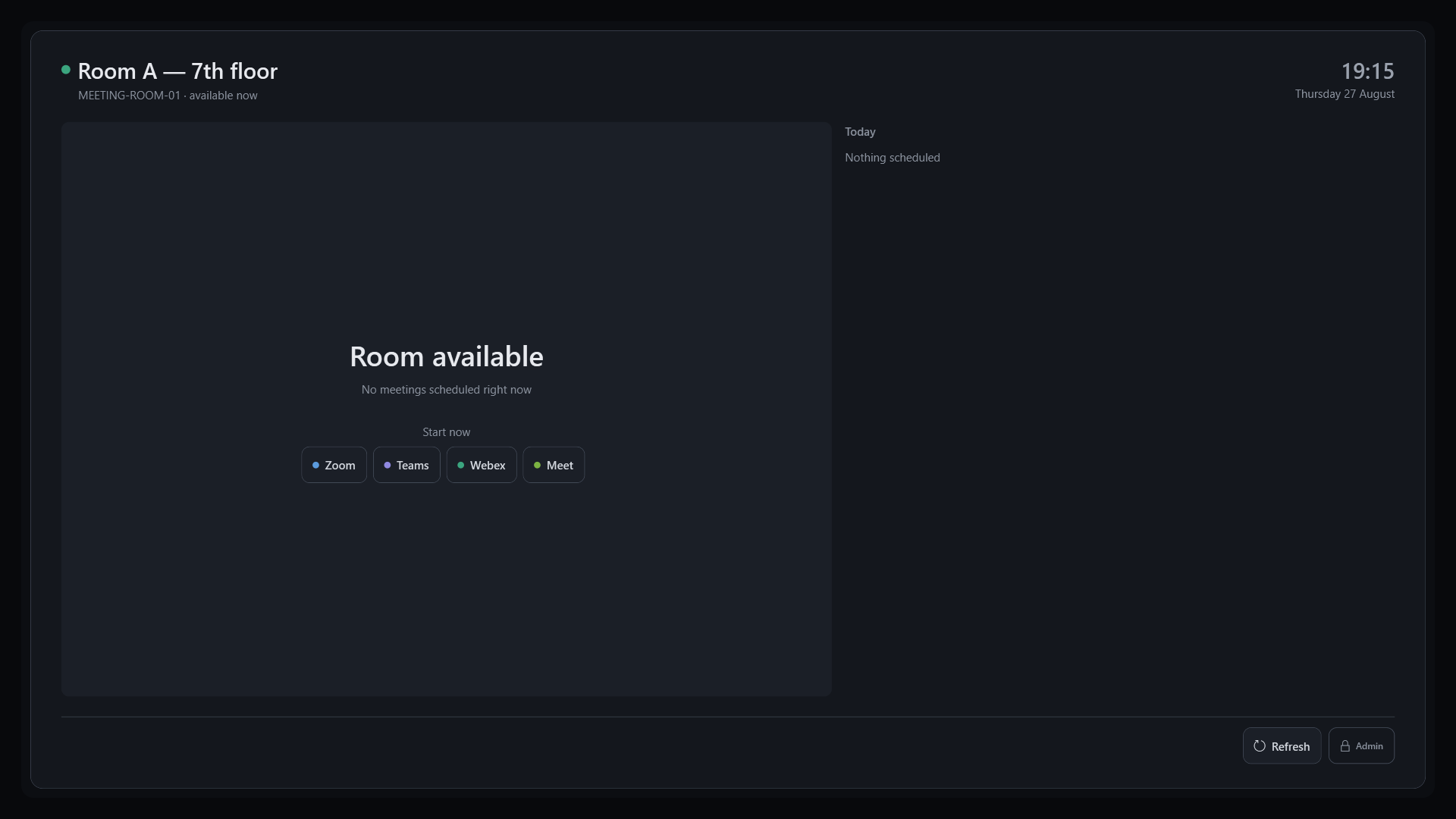
The room shows today's agenda. The join button opens the installed desktop client, never a browser tab. Between meetings the screen dims and the session is cleaned. Nobody ever sees the Windows desktop.

What it does, and what it does not.

RoomStart is deliberately small. It covers the trip from the calendar to the meeting, properly, and nothing else.

Native client, enforced

The launch URI is built from the invitation link and checked before every launch. If the client is missing, RoomStart says so instead of quietly falling back to a web meeting.

A real kiosk

Permanently full screen, taskbar hidden, admin exit on a long press. The Windows desktop is never exposed, not even during a meeting.

No third party in your calendars

The room reads its own calendar through Microsoft Graph, with a certificate or the room's Entra session. Nothing passes through an external service and there is no account to create with us.

Managed configuration

A machine-scoped configuration file, deployable through Intune and protected by NTFS permissions. After a reinstall the room recovers its settings on its own.

Cleanup between meetings

Leftover meeting clients are closed at the end of a session, without ever touching the room's default audio and video devices.

What it lacks

No central management console, no estate analytics, no room booking, no wireless screen sharing. If you need those, other products do them better and we will tell you so.

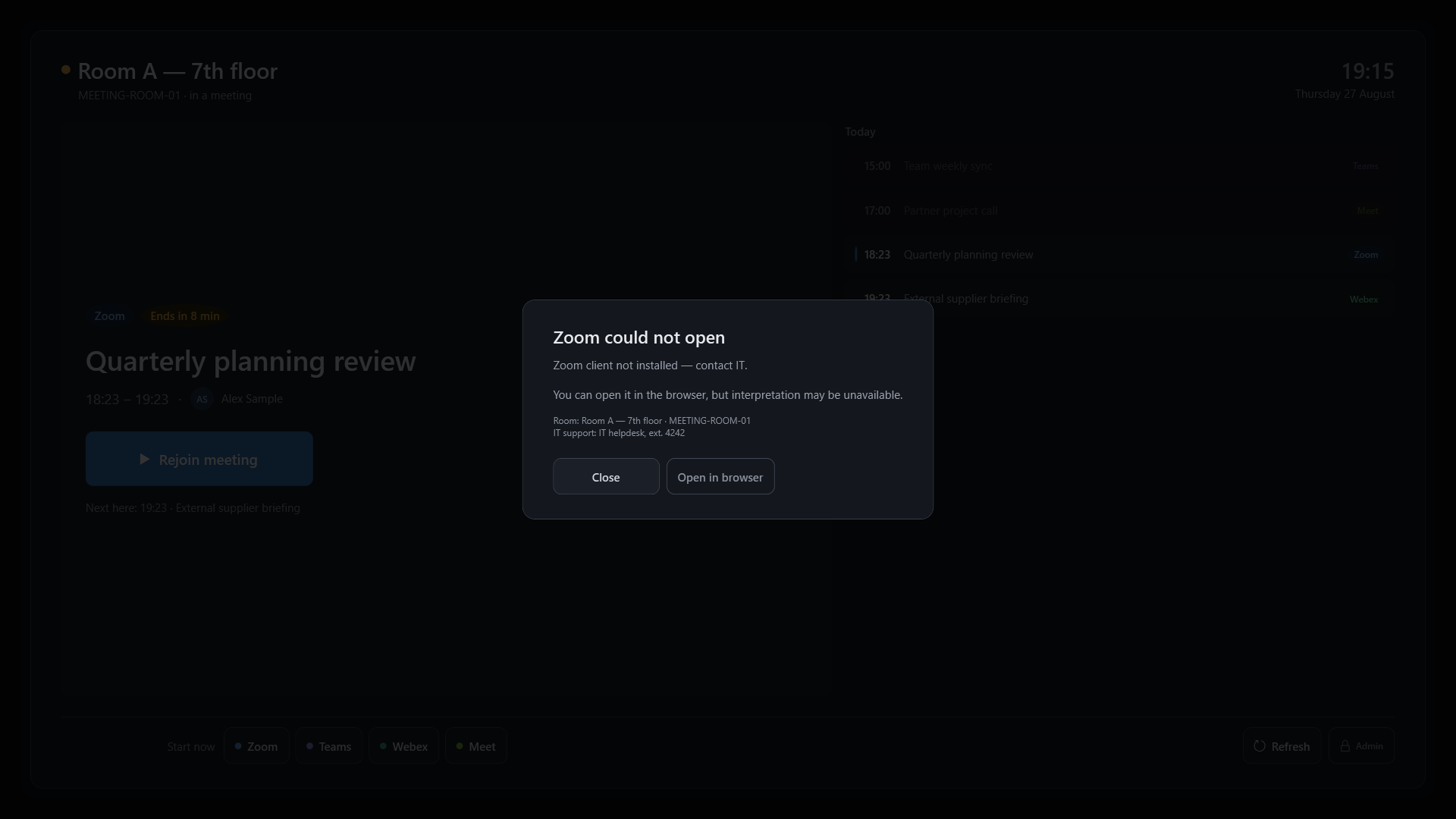
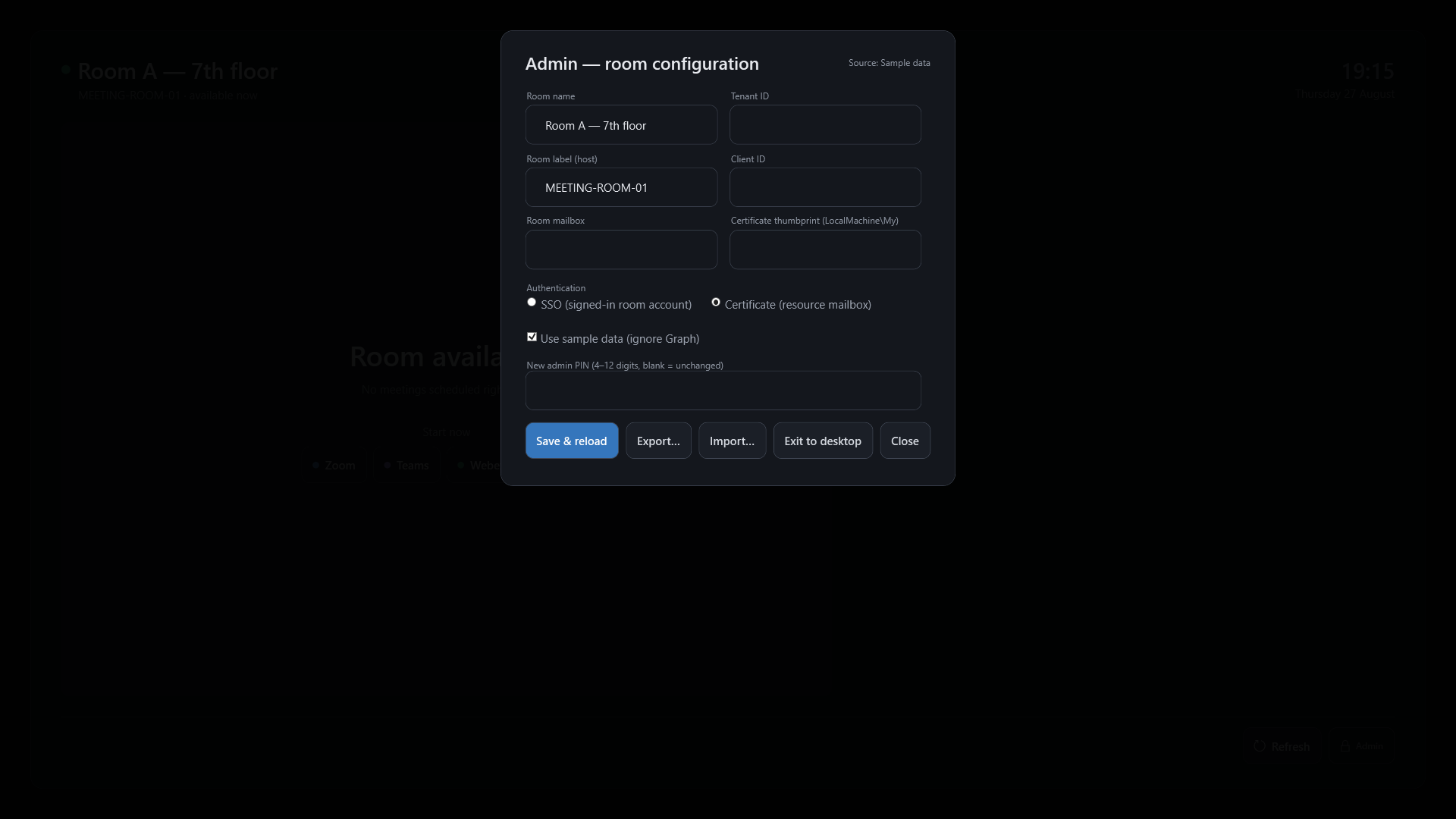
What it looks like in the room

Captured in demo mode, on a 16:9 touch panel.

Pricing

A perpetual licence per display. You buy the software rather than rent it, which is exactly the problem a vendor shutdown creates.

Licence

350 EUR ex VAT per display, once

Perpetual, with no time limit. The first year of updates and support is included. Minimum three displays.

No setup fee. If your IT team would rather be walked through the Entra configuration and the Intune package, assisted installation is 850 EUR ex VAT per day, and it stays optional.

Maintenance

105 EUR ex VAT per display per year, optional

That is 30% of the licence, from the second year onward. It covers updates and support.

Zoom, Teams and Webex change their launch schemes without notice, and Microsoft keeps moving Graph and identity around. That is the risk maintenance covers. Without it, your version keeps working as it is.

Availability

RoomStart has been running since 25 August 2026 in one pilot room, at an organisation using it daily. One room, not a fleet: wider deployment waits on what that pilot teaches. Commercial availability is in preparation and the prices above are indicative. Write to us to be contacted when it ships, and to tell us what you need: it weighs on what gets built first.

Technical requirements

RoomStart is a launcher, not an embedded room system. It replaces neither your hardware nor your meeting clients: it installs on the PC already in the room, reads the calendar and opens the right client. If your rooms ran Quicklaunch, they will run RoomStart.

A Windows PC in the room

64-bit Windows 10 or 11, including an OPS module behind a touch display. No certified hardware required, and the machine already running your meeting clients is enough.

.NET 8 Desktop Runtime

RoomStart is a WPF application on .NET 8 with no external dependencies. The runtime ships through your usual tooling, Intune included, alongside the application.

Machine footprint

The launcher itself is light: it shows a calendar and starts a process. Teams, Zoom and Webex are what dictate the memory and CPU the room needs, exactly as they do today without RoomStart.

A Microsoft 365 room mailbox

The room needs its own resource mailbox, the one your users already book.

At least one meeting client installed

Teams, Zoom or Webex, depending on what you use: RoomStart launches them, it does not replace them, and without them it has nothing to open. Google Meet is the exception and opens in the browser, as it has no desktop client.